Plan
Checkout rewrite Approved
41files read
2services
1page
Coupon migration ships next release.note from you
A plan you approve, a report you forward, a worksheet you answer. Your agent writes a short Markdown file; artifacts-cli renders it as one polished HTML page that you read, mark up and send back.
$npm i -g @phnx-labs/artifacts-cli
See how it works
artifacts render plan.mdAgents spend most of their output rebuilding page chrome for every plan.
$ artifacts new plan --out plan.md
wrote plan.md

$ artifacts check plan.md
error:2 Frontmatter field "surface" is required for plans.
  agent adds  surface: cli  and checks again

$ artifacts check plan.md
ok
$ artifacts render plan.md --open
wrote plan.html
served locally

  the agent saves plan.md, the open page re-renders
Readers don't reply in a chat. They highlight a line, leave a note or answer a worksheet field on the page itself, then export it. The agent reads it with one command and revises the Markdown.
Migrate legacy coupon codes in the same release.
waiting for your export
Each render is saved on your machine. Step back through what the agent wrote and what you changed, and reopen any version without touching the source.
Migrate legacy coupon codes in the same release.
Answered: no
r3: claude moved the migration after reading your note.
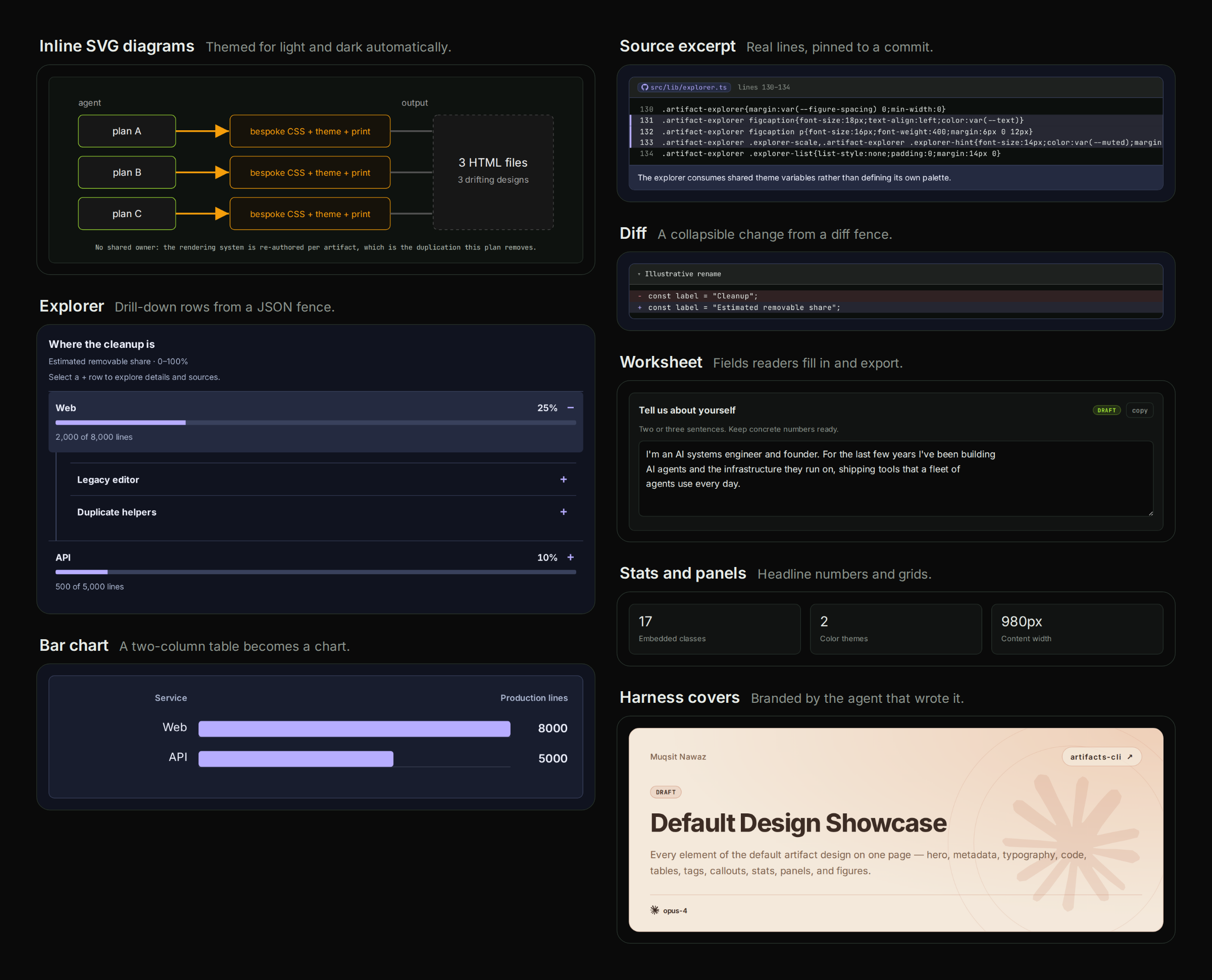
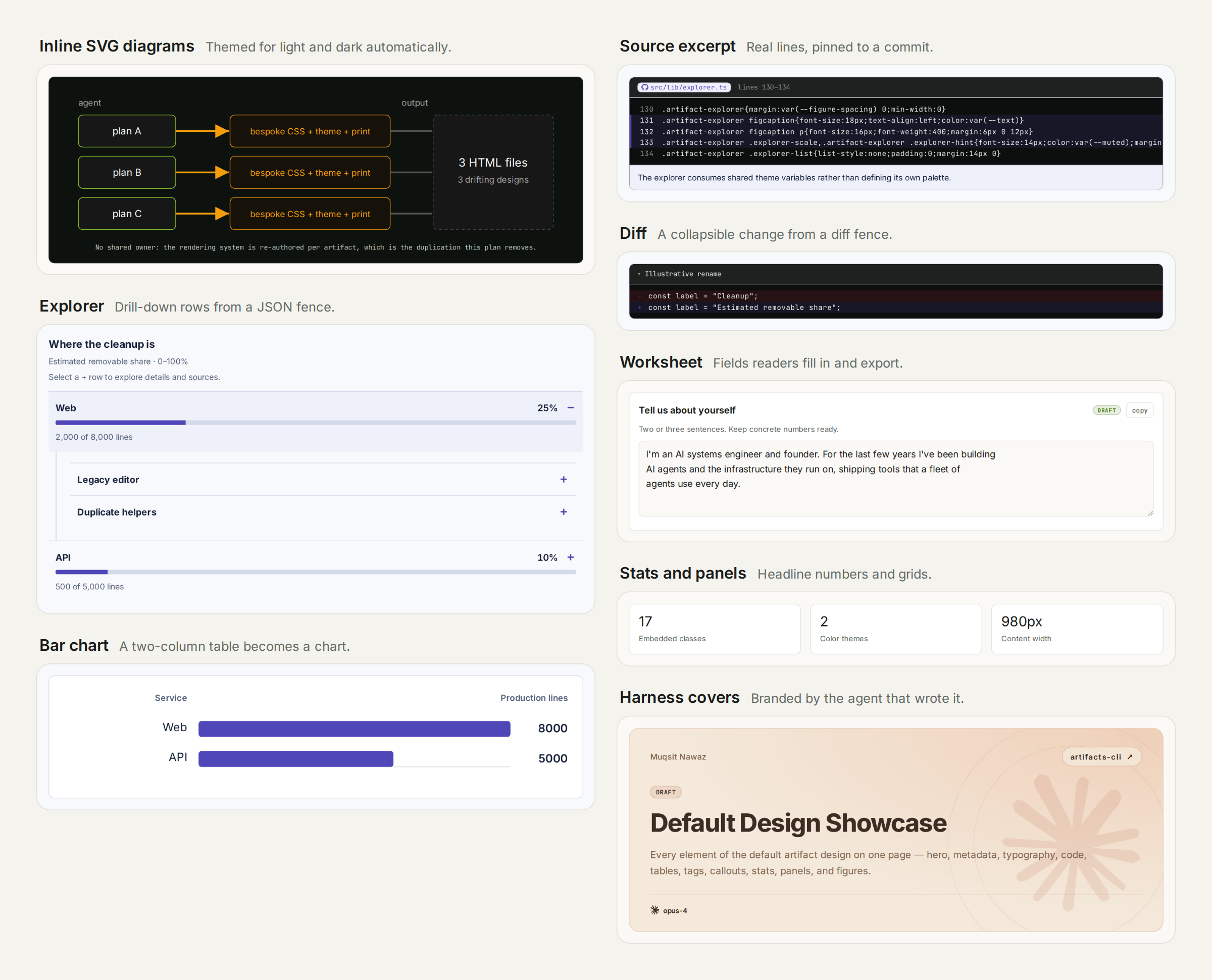
Every tile is a render of a file in the repository's examples/ folder. Each page is a single HTML file that works offline, in light and dark. Point at a tile to see the fence that made it.
```explorer
{ "title": "Where the cleanup is",
  "metric": { "unit": "%", "max": 100 },
  "items": [ { "label": "Web", "value": 25 }, … ] }
```The agent never writes component HTML, CSS or JavaScript. It writes a few lines of data, and the renderer builds the finished, interactive component.
---
kind: visual
title: Where the dead code is
---

## Story

Most removable code sits in two services.

## Figure

```explorer
{ "title": "Removable code",
  "metric": { "label": "Removable", "unit": "%", "max": 100 },
  "items": [
    { "label": "Web", "value": 25 },
    { "label": "API", "value": 10 } ] }
```
The artifacts skill teaches the workflow, and artifacts components --json prints each component's input with an example to copy.
artifacts check rejects unknown fields, missing sections, out-of-range values and unsafe HTML before anyone reads the page.
Layout, light and dark themes, the cover, contents, collapsible sections, code highlighting, math, link previews and provenance from git.
Put your colors and fonts in DESIGN.md. Every artifact from every agent uses them.
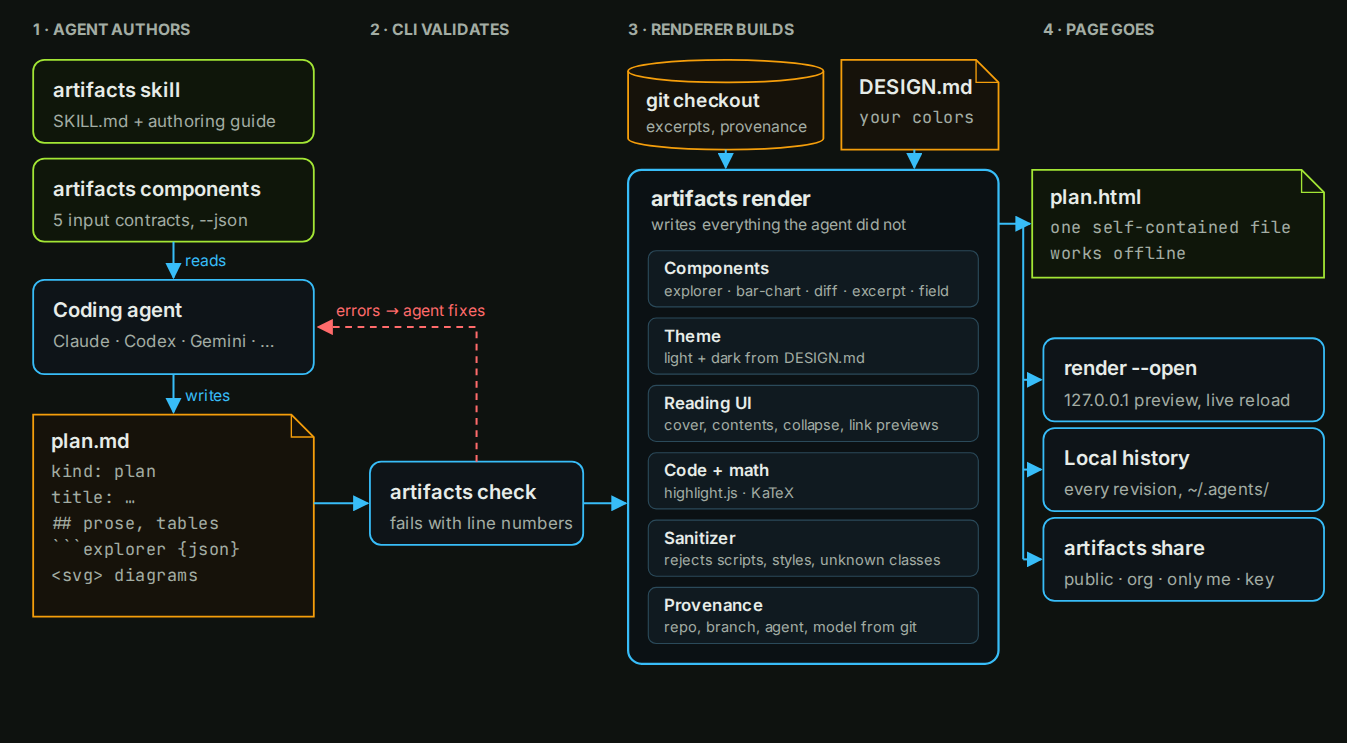
Claude, Codex, Gemini and others render through the same design, so a page looks the same whichever agent wrote it.
explorer, bar-chart, diff, excerpt and field take JSON, a table or a single line.
An excerpt reads the lines from your git checkout and links them to the exact commit, so they can't be misquoted.
A contents rail, collapsible sections, link previews, a references list, highlights and notes.
The HTML works offline. Keep it in your repository, reopen earlier versions from local history, or share a link.
Embedded HTML and SVG are sanitized, and a page is scanned for emails and credentials before it is published.
Needs Node 20 or later.
npm i -g @phnx-labs/artifacts-cli
agents skills add gh:phnx-labs/artifacts-cli \
  --names artifacts --agents claude,codex -y